
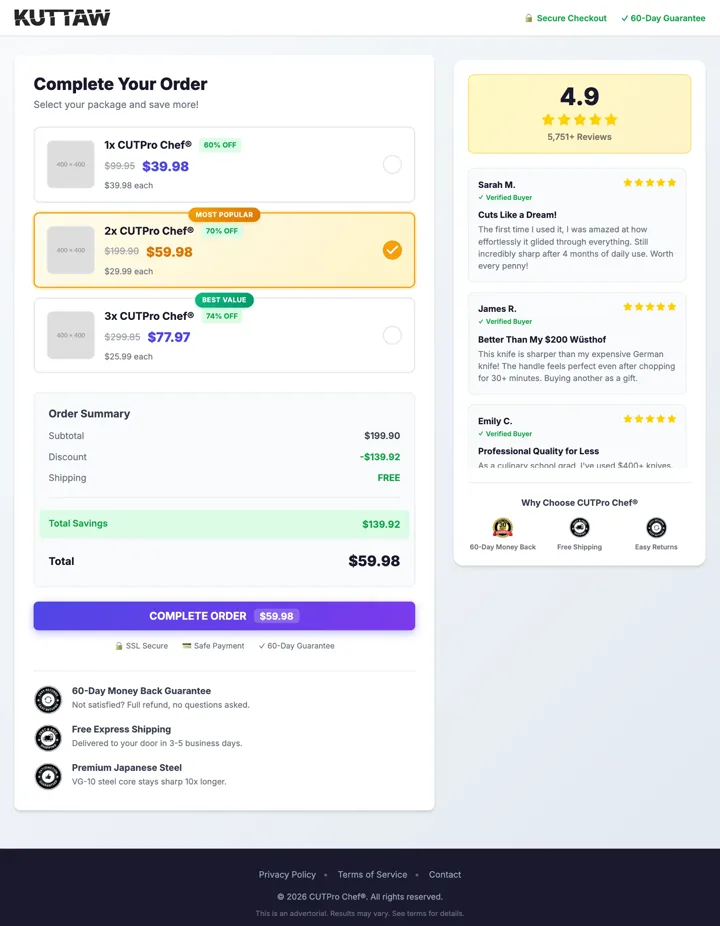
Pick
The buyer chooses a pack
One, two or three of the same product, with the saving shown.
Let buyers choose a pack before they reach your store. Each pack opens your Shopify cart with the right product, quantity and discount code already in it.
Each with a name, a quantity, a price, an optional original price and its own image.
Mark a pack as most popular or best value, and choose which one starts selected.
Attach a Shopify discount code to a pack and it is applied in the cart.
A summary with labels you can edit, next to one checkout button.
A sidebar for your guarantees and your customer quotes.
UTM values and click IDs on the visit are passed on to the cart link.
Built for Shopify. The page opens your cart; payment, final price and stock stay in your store.
The buyer chooses a pack
One, two or three of the same product, with the saving shown.
Your cart opens, filled in
The right variant, the quantity and the discount code are already there.
Shopify takes it from here
Checkout, payment and the order all happen in your store.
Add your Shopify cart URL, the currency and the number format.
For each pack, enter the variant ID, the quantity, the price and an optional discount code.
Review the page, adjust the design and go live.
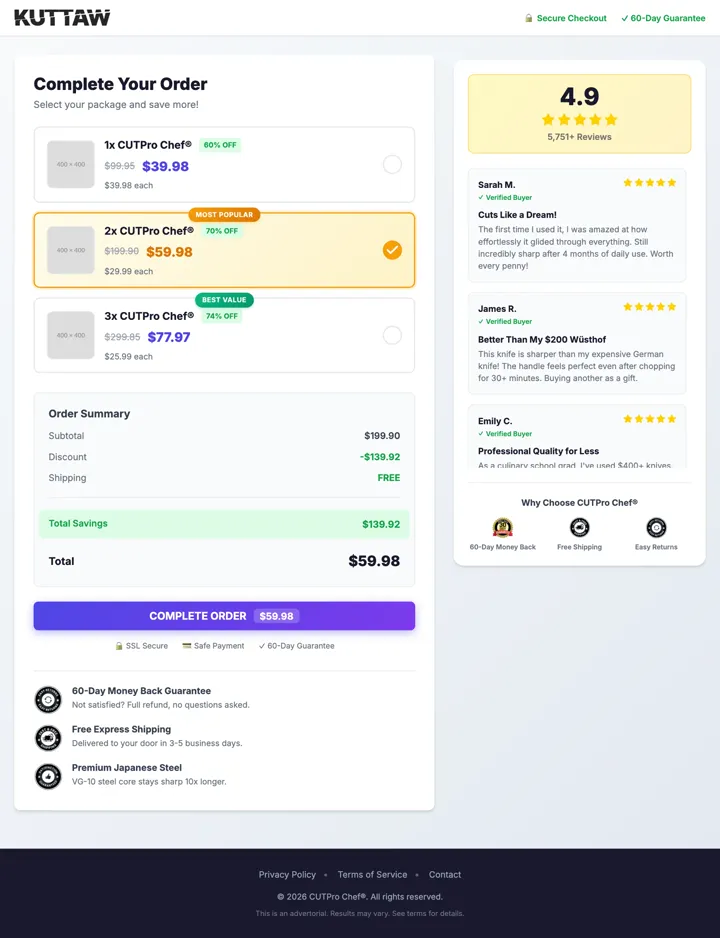
A pre-checkout page built with the LandGoose template. The packs, prices and labels are set by the store owner.
Rating and customer quotes next to the packs.
Quantity, price and saving for each option.
A single checkout button under the order summary.
Not today. It needs a Shopify cart address and Shopify variant IDs.
No. A pre-checkout page is set up by hand and costs no credits.
No. Shopify sets the final price. If the price on the page includes a discount, add the matching discount code to the pack.
No. Each pack is one product variant and a quantity.
Not yet. It is planned.