
From your library
Use a form you already have
Choose any enabled form. Its fields and settings come with it.
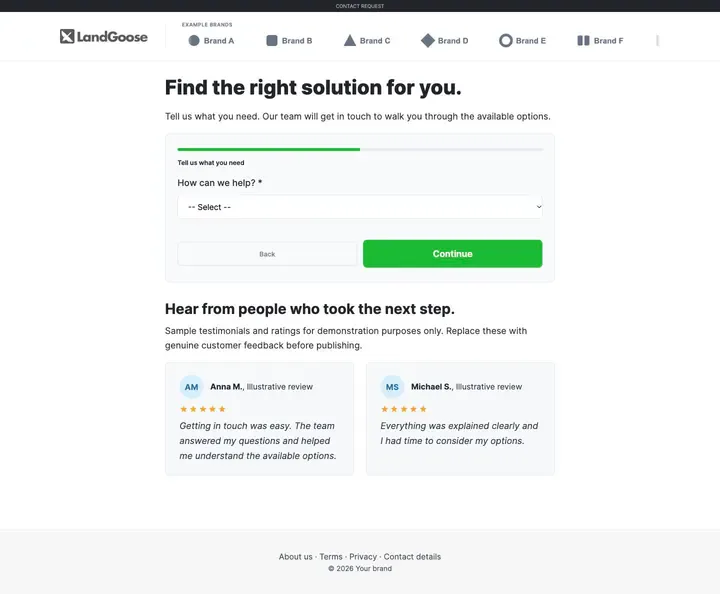
A short page built around your form: your logo, an introduction, the form itself and reviews beside it. Made for traffic that is ready to ask.
Pick a form from your library or begin with a two-step starter form.
Write them yourself, or let the AI personalise them for your audience.
A sliding row of logos, at the speed you choose.
Two review cards to replace with your own.
Menu links for your policies and your contact page.
One narrow column, with nothing to distract from the form.
Creating the page costs no credits. The form stays in your library, so changes to it reach every page that uses it.
Use a form you already have
Choose any enabled form. Its fields and settings come with it.
A two-step form to begin with
The request type first, then name, email and an optional phone number. It is saved to your library.
Personalise the words
Describe the subject, the audience and the next step, and the AI writes the title, introduction and button text for 0.5 credits.
Pick one from your library or create the starter form.
Edit the title, the introduction and the button text, or personalise them with AI.
The page opens in the editor. Review it and go live.
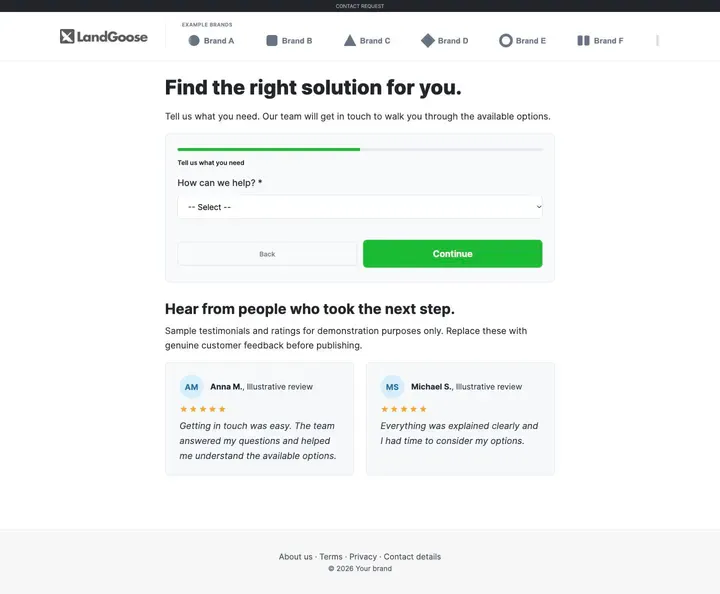
A form page built with the LandGoose template. The reviews shown are examples to replace with your own.
A title, a short introduction and the form, before any scrolling.
A progress bar and one question at a time.
Reviews from people who took the next step.
No. Only the optional AI personalisation of the title, introduction and button text does, at 0.5 credits.
To your leads list, and to your webhook or API if the form has one set.
Yes. Edit it in the form library and every page that uses it is updated.
The ones in the template are examples. Replace them with your own before you publish.
Yes. Publish to a free LandGoose subdomain, or connect your own domain: paid plans include 2 on Starter, 5 on Grow and 10 on Pro, with SSL handled for you.