
Build the form
Thirteen field types, half or full width, with validation, an optional heading and multiple steps.
Build a lead form once and place it on as many pages as you like. Every submission lands in one list and can go straight to your CRM.
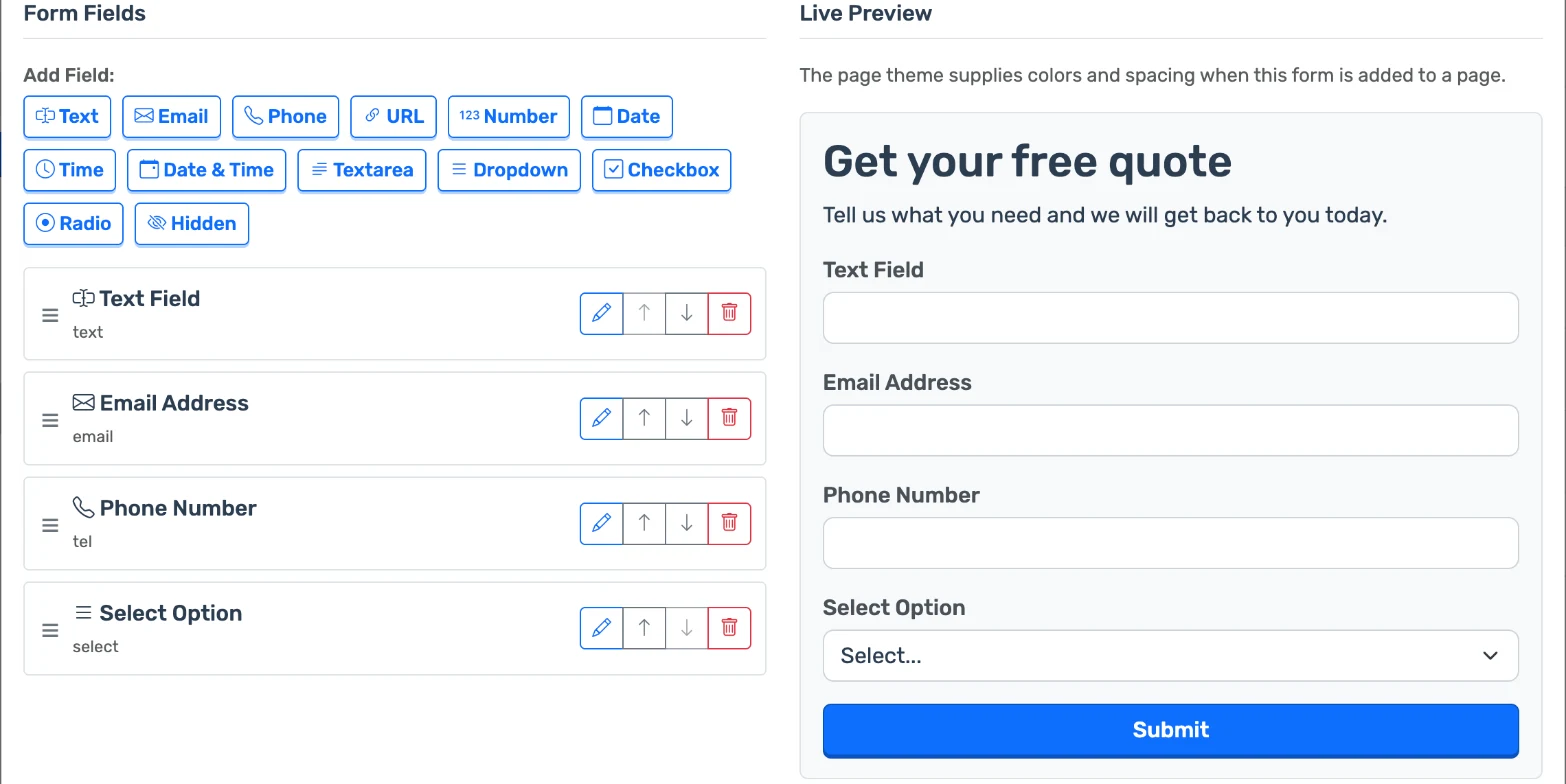
Thirteen field types, half or full width, with validation, an optional heading and multiple steps.
One form can sit on many pages. Change the form and every page follows.
Post each submission to a webhook or straight to an API, with your own headers and field mapping.
See who submitted what, on which page and when. Search, filter by page or date, and export the list.
Submissions are stored in LandGoose whether or not a webhook is set.
Add fields in the builder and watch the live preview.
Assign the form to a page in the editor, or start from the Form page template.
Leads arrive in your list, and at your webhook, as they come in.
Turn on hCaptcha for a form and choose how strict it is.
Add a required or optional consent box that links to your policy page or opens it in a modal.
Yes, through their webhook triggers. LandGoose sends each submission as a JSON POST to the address you give it; there is no separate app to install.
Not at the moment. Use a webhook to send leads to a tool that emails you.
Yes. A form lives in your library and can be assigned to as many pages as you like.
Yes. A hidden field can hold a fixed value, a URL parameter, the page address or the referrer.
Show a thank-you message or redirect to another address.