
Text, in place
Rewrite any headline or paragraph where it sits, with formatting, links and find and replace.
Edit the page as your visitors see it. Change the text, swap an image, hide a block or update every link, then save.
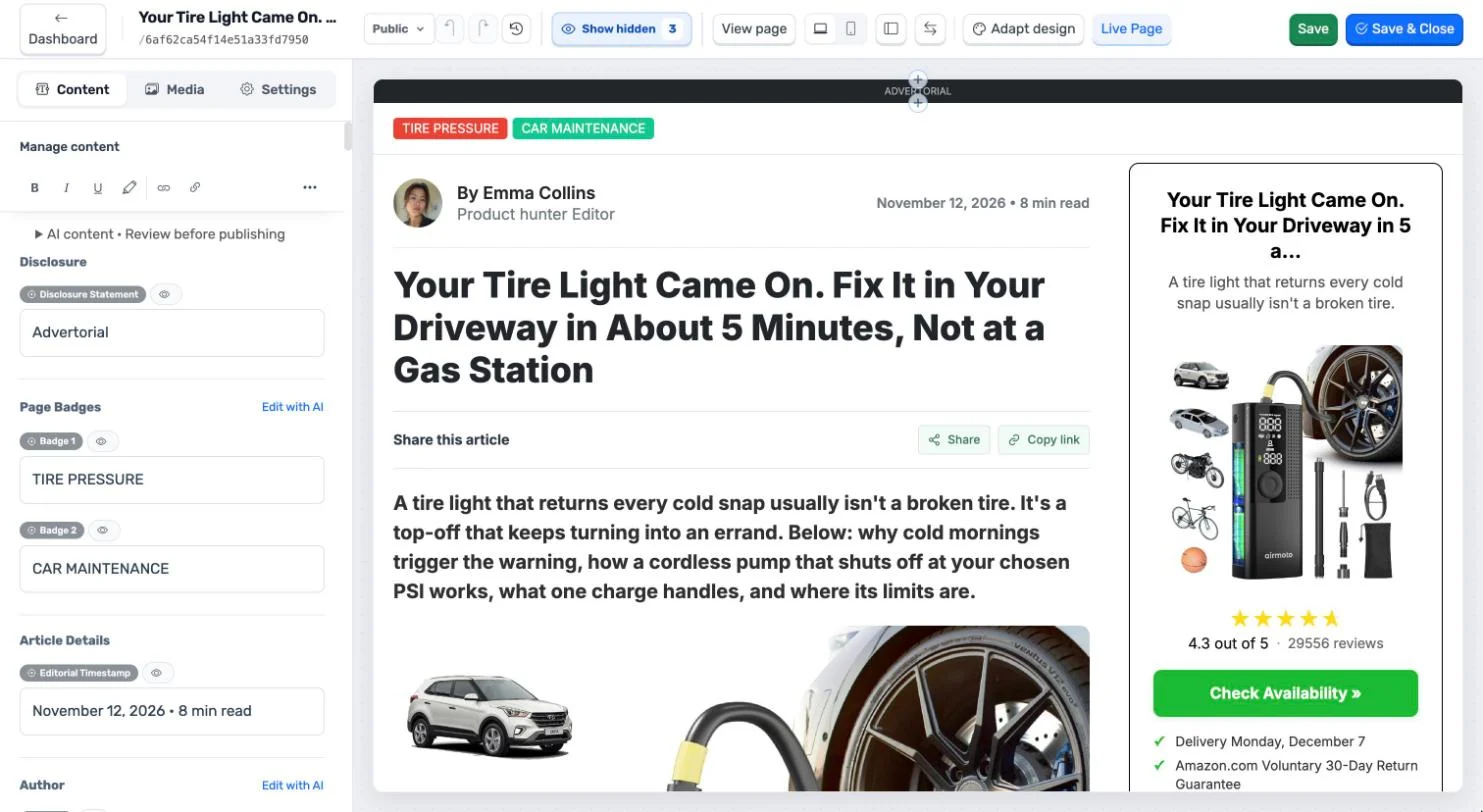
Rewrite any headline or paragraph where it sits, with formatting, links and find and replace.
Replace media with an upload, a file from your library or a link, crop it, or edit it with AI.
Add components, manage the content and hide what you don’t want published.
Point all the links on a page at one address in a single action: inline links, buttons and linked images.
Privacy and terms links are left alone. Global links work on one page at a time.
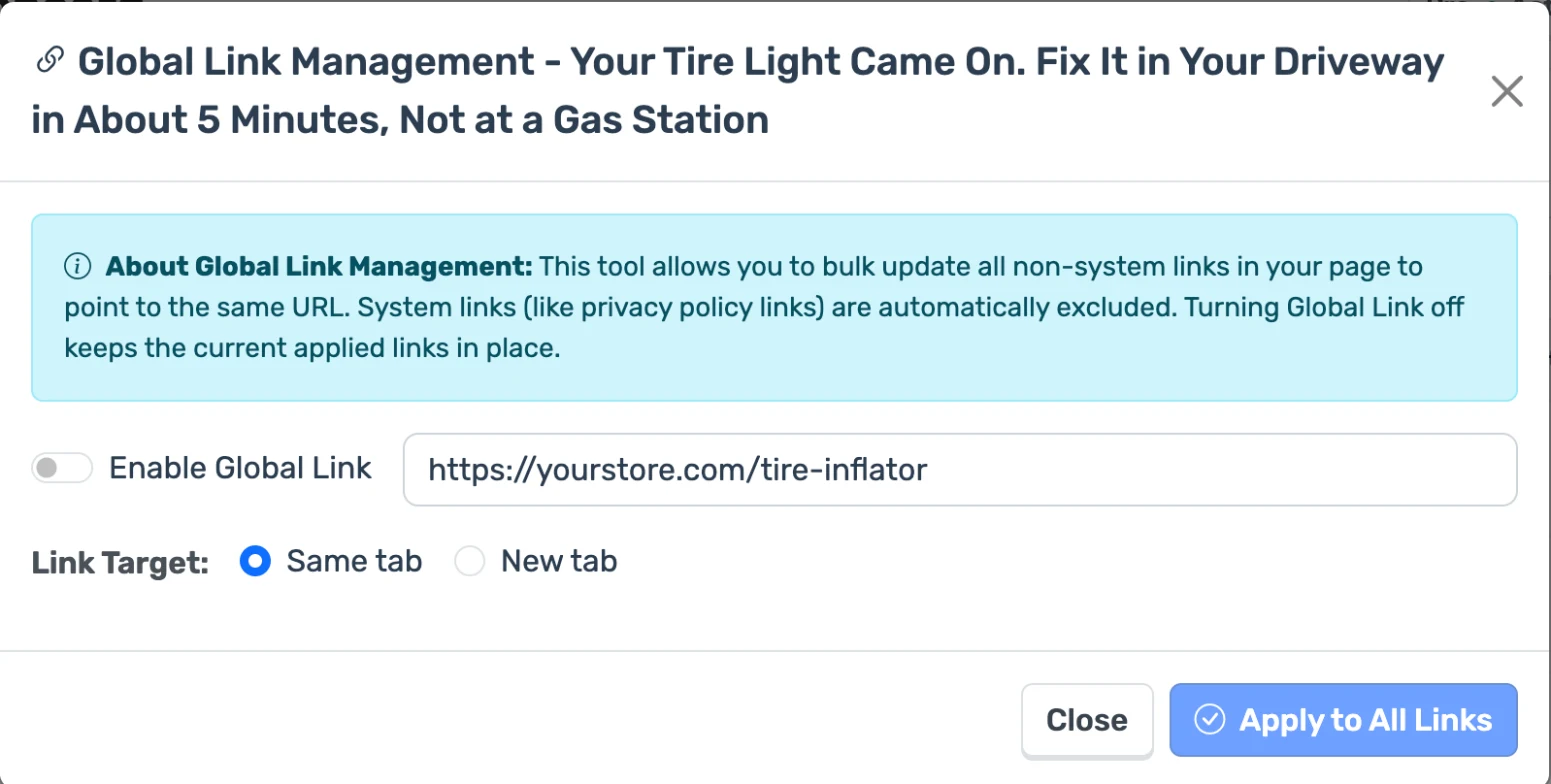
From the dashboard, open any page in the editor.
Edit on the page, and switch between desktop and mobile views to check both.
Saving updates the published page. Every save keeps a version you can restore.
Ask the AI to rewrite a field, add an instruction if you like, and apply it only when it reads right.
Match the page to your brand with a style, a colour and your logo. Compare before and after, then apply or discard.
No. Saving a page updates the published version. Until you save, your changes can be discarded.
Yes. Each save is kept in the version history, and you can restore an earlier one.
Yes. Custom CSS and custom scripts are set for each page from the dashboard, with scripts placed in the head or at the start or end of the body.
Yes. A page can be public or password protected.
Not yet. Global links change one page at a time.