A bridge page can help Shopify conversion when there is a specific gap between an ad and the product page. Use it to explain, demonstrate, or help shoppers choose, then measure whether the extra step improves the complete purchase journey.
What Is a Bridge Page for Shopify?
A bridge page is an intermediate landing page between a traffic source and your Shopify store. Its job is to prepare a shopper for a specific next step: understanding a product, seeing a demonstration, or choosing an appropriate option.
Ad → bridge page → relevant Shopify product or collection → checkout
“Bridge page” describes the role, not a single layout. An advertorial, a listicle, or a short product demonstration can all perform that role. The page must add something useful that the ad and destination do not already explain clearly.
Adding a page also creates another opportunity for visitors to leave. To increase conversion, the value of its explanation must outweigh that added friction. The right question is: What does this person need before the product page becomes a useful next step?
Identify the Gap Between the Ad and the Store
Look at the ad and destination together. A campaign may promise a particular use case while the product page presents a broad catalog of features. Or an ad may introduce a new category while the store assumes shoppers already understand it.
Write down the gap in a single sentence. For example:
The ad attracts people looking for a bag for both commuting and short trips, but the product page does not show what fits inside or how to choose a size.
That is a testable reason to create a bridge page. “We want another step in the funnel” is not.
Check whether a small product-page improvement would solve the same problem. If every shopper needs the missing dimensions, adding them to Shopify may be the more direct solution. A separate bridge page is more useful when one campaign needs a focused explanation that would distract from the product page's broader role.
Choose the Shortest Format That Answers the Question
Match the structure to the decision rather than assuming a longer page is more persuasive:
- Demonstration page: show an unfamiliar feature or use case with a real image sequence or short video and a concise explanation.
- Advertorial: develop an explanation that needs a connected story, product context, evidence, and objections answered. See Shopify conversion with advertorials.
- Listicle: organize several separate buying considerations or reasons to choose an option. See Shopify conversion with listicles.
- Comparison page: help shoppers choose between genuinely different products or variants using consistent, verified criteria.
A bridge page does not need to collect an email before revealing the product. Add a lead form only when there is a separate, clear reason for it and you intend to evaluate that different journey. An unnecessary form can make an otherwise straightforward purchase harder.
Example: Connect a Travel-Bag Ad to the Right Product
Consider a fictional Shopify bag store offering two sizes. This is an illustrative page plan, not a real campaign or evidence of conversion lift.
The ad shows a bag being packed for a short trip. The store's product page contains specifications and variants, but does not demonstrate packing. A useful bridge page could answer “Which Bag Size Fits Your Everyday Carry and Short Trips?”
Open With the Same Use Case
Use the same product model and recognizable visual context as the ad. State who the page is for and what it will show. Identify the brand clearly; do not suggest the page is an independent review when the seller produced it.
The first screen might say:
See both sizes packed with an example set of everyday and overnight items, then compare their dimensions before choosing.
This promises a demonstration you can deliver. It does not imply that every traveler packs identically.
Show the Decision, Not Just the Product
Photograph each actual bag with the items used in the demonstration. List what was packed and show the bag closed. Keep the comparison conditions consistent so viewers can understand the differences.
Give the real dimensions and empty weights for both variants. Explain the tradeoff between capacity and portability. Do not guarantee airline acceptance: luggage limits depend on the carrier, ticket, and current rules.
A short demonstration should work with captions and a visible product explanation, even if visitors do not play the video. The next step should not depend on watching an entire clip.
Connect Each Choice to the Correct Destination
Use descriptive links such as “View the smaller bag” and “View the larger bag.” Each should open the relevant product or reliably select the intended variant. Verify the final destination on mobile; do not assume that a copied URL preserves the selection.
If both options share one product page and variant selection cannot be preserved, explain where to choose the size and make the labels consistent. Avoid sending visitors to a homepage that requires them to search again.
This bridge page earns its place by helping with a decision. It does not need a long invented founder story or a countdown timer.
Keep the Promise Consistent Across the Handoff
Review the entire route as one experience. A clear bridge page can still fail if the store contradicts it.
Before sending traffic, check that:
- The product name, model, images, and variants agree across the ad, bridge page, and Shopify destination.
- Any stated price, discount, availability, or delivery promise remains accurate at the destination.
- Shipping and return information is easy to find before the shopper commits to buying.
- Buttons describe what happens next and remain usable on a phone.
- The page adds useful information rather than copying the product description and requiring another click.
For live offers, define who updates the bridge page when the store changes. A hardcoded price or expired promotion can turn a useful explanation into a source of confusion.
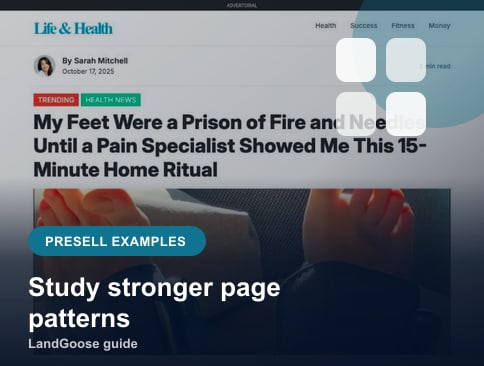
Browse pre-sell page examples for different ways to organize the explanation. Choose the structure that fits your question, not the one with the most sections.
Measure From Before the Bridge Page
Test the extra page against a direct route to the same intended product. Keep the audience, ad creative, and offer comparable, and randomly assign eligible visitors where your setup supports it.
Count purchases per assigned visitor from the start of each route. Include revenue, acquisition cost, and contribution margin when assessing the business outcome. Define an attribution window and allow enough observations to assess the improvement you need; one good day is not a dependable result.
The bridge-to-store click rate shows how many readers continue, but cannot tell you whether the campaign is better. A page can send fewer people to Shopify and still produce more profitable purchases, or send many people who never buy.
Shopify reports conversion using online-store sessions. An external bridge page introduces an earlier stage that this denominator does not capture. See Shopify's behavior report definitions. Compare the complete routes using the same unit and measurement window rather than treating a higher store percentage as proof of improvement.
Preserve campaign identifiers through the handoff and verify that purchase reporting can identify each test route. Check cross-domain attribution where relevant, respect consent choices, and avoid duplicate purchase events. Document missing data before interpreting an apparent change in performance.
When to Skip a Bridge Page
A direct-to-product route is often the sensible starting point when the visitor already knows the product, needs a replacement, or is responding to an offer that requires little explanation.
Also prioritize fixing the store when the problem occurs after cart addition: unavailable delivery, payment errors, or unclear costs will still exist after a bridge page. Adding more convincing copy upstream does not remove those obstacles.
Keep a bridge page only when it solves the identified gap and the measured result justifies the extra step. If the demonstration is useful but the new route loses purchases, consider moving that demonstration onto the product page and testing again.
Build the Bridge in LandGoose Studio
Prepare the campaign promise, the question to resolve, verified product evidence, and the exact Shopify destination. In Studio, use the supported format that suits your explanation, such as an Advertorial or Listicle. A bridge page is the role that published page plays in your campaign; it does not require a separate format selector.
Review the copy and media, confirm the CTA destinations, and walk through the entire route on a phone. Create your page in LandGoose when the brief is ready, then test it against the direct path. The objective is a better purchase journey, not an extra page for its own sake.